YouTube Shorts safe zone template and checker
Keep text out of the top 288 px, bottom 672 px, left 48 px and right 192 px of a 1080 x 1920 Short.
Free No signup Files stay on your device
- Clear at the top
- 288 px
- Clear at the bottom
- 672 px
- Longest Short
- 3 min
YouTube Shorts: Safe area 840 x 960 px, set further in from the right. Orange is covered, inside the dashed line is safe.
Showing the sample frame, 402 x 720 px, 9:16.
The template is a transparent 1080 x 1920 PNG. Put it on the top layer in your editor and hide it before you export.
YouTube Shorts safe zone dimensions
Google draws the zone on a 1080 x 1920 frame. Each row is how far the Shorts interface reaches in from that edge.
| Keep clear | Pixels | Share of frame |
|---|---|---|
| Top | 288 px | 15% |
| Bottom | 672 px | 35% |
| Left side | 48 px | 4.4% |
| Right side | 192 px | 17.8% |
| Safe area | 840 x 960 px | 77.8% x 50% |
The numbers come from the vertical video safe zone template in Google's help center. The template is drawn at 1080 x 1920 and labelled in pixels, so nothing is scaled or guessed. Checked 9 October 2026.
Google made the template for promoted vertical videos. A regular Short shows the same title, channel row and button column, so the zone works for both. The interface shifts a little between phones, so leave a small margin inside the line.
YouTube Shorts dimensions and aspect ratio
What YouTube Help says a Short has to be, and what it only recommends.
- Aspect ratio
- Square or vertical. Required for a video to count as a Short. 9:16 is the shape that fills the screen.
- Video size
- 1080 x 1920 px. YouTube publishes no fixed resolution for Shorts. This is the size of Google's safe zone template.
- Length
- Up to 3 minutes. Required. Applies to uploads after October 15, 2024.
- Frame rate
- 24, 25, 30, 48, 50 or 60 fps. Recommended: upload at the rate you recorded.
- File and codec
- MP4 with H.264 video. Recommended, not required.
- Audio
- AAC-LC or Opus, stereo, 48 kHz. Recommended.
- Bitrate at 1080p
- 8 Mbps at 24 to 30 fps, 12 Mbps at 48 to 60 fps. Recommended.
- Wider than square
- A 16:9 file is published as a regular video, not a Short.
Sources: YouTube Help on uploading Shorts, on three-minute Shorts and on upload encoding settings. Want to test a file against all of it? The video resolution checker reads your video and checks it for Shorts, TikTok and Reels at once.
How to check a Short before you post it
-
1
Open the exported Short
Pick the finished 1080 x 1920 file. The checker opens it in your browser, so nothing is uploaded.
-
2
Stop on every line of text
Pause on the title card, each caption and any app screen. Look for words under the button column or the channel row.
-
3
Compare with the interface off
Untick Show app interface to see the clean frame. Orange areas are where YouTube draws on top.
-
4
Save the overlay for the next edit
Download the template and lay it over your timeline. Build the text inside the dashed box, then hide the layer and export.
What to keep inside the Shorts safe zone
Shorts covers more of the bottom than the top. Plan the frame around that.
The opening line
Start it just under 288 px. The search and menu icons sit above that line, and the top third is where viewers look first.
Captions and subtitles
The title, channel name and Subscribe button fill the bottom 672 px. Keep the last caption line above 1248 px.
Anything on the right
Shift text and logos left. The safe area ends 192 px from the right edge, four times the margin on the left.
An app on screen
A full-height screen recording loses its tab bar to the title area. Scale it into the 840 x 960 px box, or show the part that matters.
Shorts, TikTok and Reels side by side
Pixels to keep clear on a 1080 x 1920 frame, from each platform's own published guide.
| Edge | Shorts | TikTok | Reels |
|---|---|---|---|
| Top | 288 px | 240 px | 269 px |
| Bottom | 672 px | 660 px | 672 px |
| Left | 48 px | 120 px | 65 px |
| Right | 192 px | 120 px, 300 px low | 65 px |
Shorts has the largest top margin and the widest right margin of the three. A layout that fits Shorts is close to safe on the other two, except for TikTok's lower button column.
Posting the same video elsewhere?
-
TikTok safe zone checker
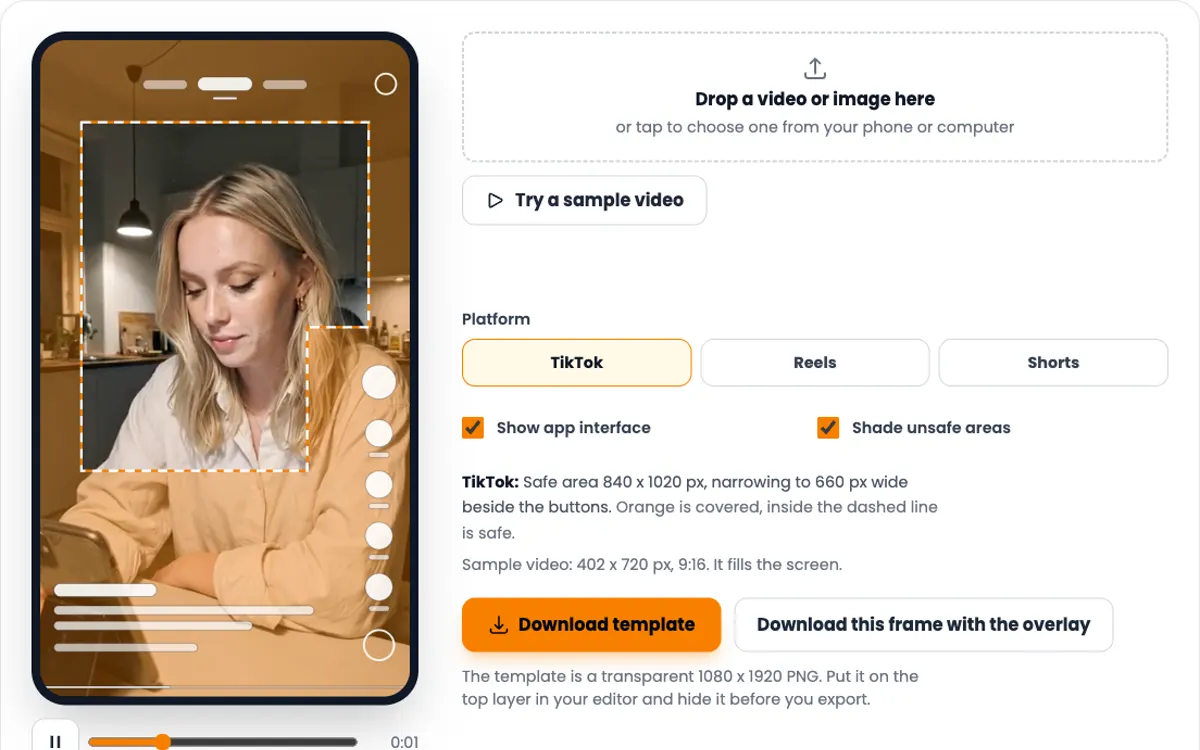
TikTok needs 120 px on each side and more room low on the right, beside its buttons.
-
Instagram Reels safe zone template
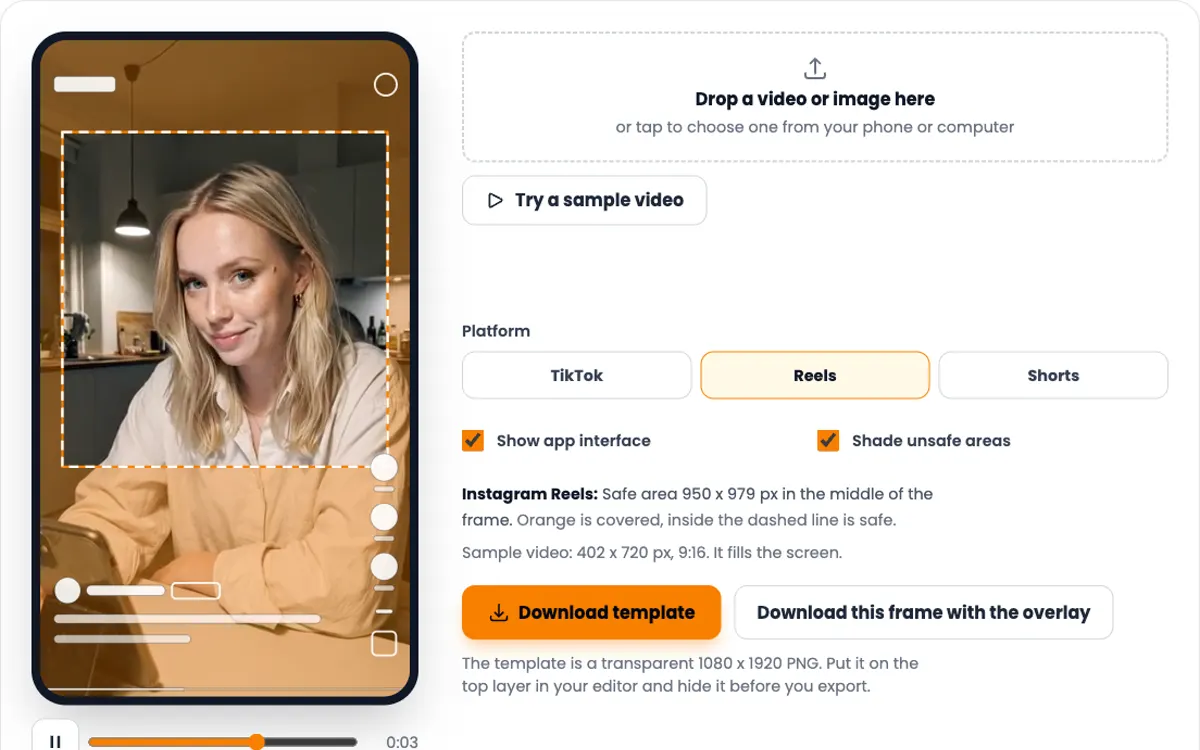
Reels keeps 6% clear on both sides and has a box that fits all three apps.
-
Video resolution checker
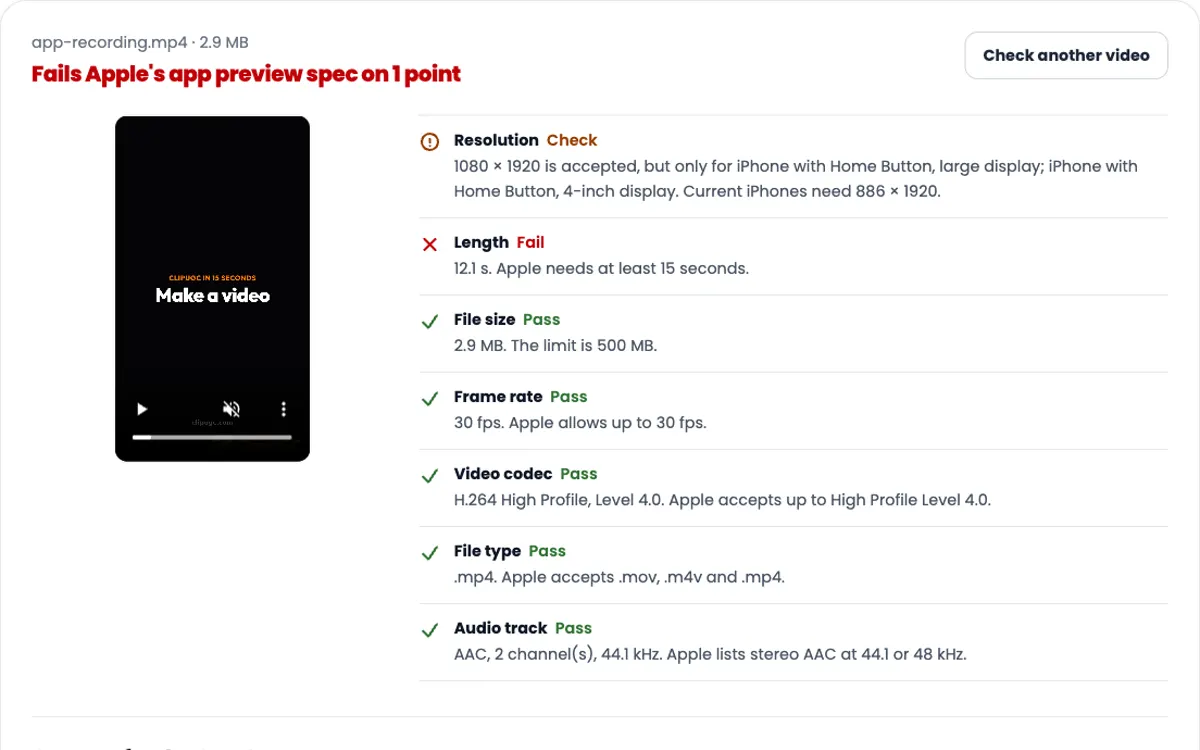
Checks size, length, frame rate and audio against Shorts, TikTok, Reels and both app stores.
-
UGC hook generator
Ten opening lines for your app niche, for the first second of a Short.
Need the video itself?
ClipUGC makes vertical UGC videos for your app. An AI influencer says your hook, then your app footage plays. The result fits TikTok, Reels and Shorts.
Free credits. No card.
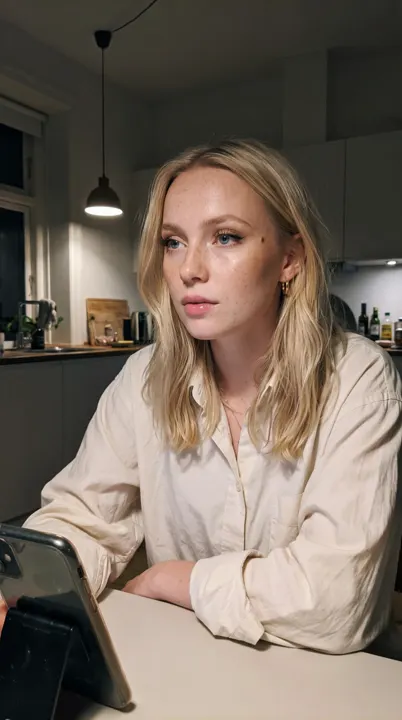
Ida, made with ClipUGC
More free tools
Questions people ask
It is the part of a Short that stays visible under the YouTube interface. On a 1080 x 1920 Short it starts 288 px from the top, ends 672 px above the bottom, and sits 48 px in from the left and 192 px in from the right.
Google's 1080 x 1920 template marks 288 px at the top, 672 px at the bottom, 48 px on the left and 192 px on the right. That leaves a safe area of 840 x 960 px.
Make it 1080 x 1920 pixels, a 9:16 vertical frame. YouTube accepts any square or vertical video as a Short and publishes no fixed resolution, but 9:16 is the shape that fills the phone screen.
Up to 3 minutes, for square or vertical videos uploaded after October 15, 2024. Anything longer is published as a regular video.
The like, comment, share and remix buttons run down the right edge, so Google keeps 192 px clear there. The left side only needs 48 px.
Yes. The Download template button above saves a transparent 1080 x 1920 PNG with the Shorts safe zone marked. Put it on the top track, design inside the dashed line, then hide it before you export.
No. YouTube only treats square or vertical videos as Shorts. A 16:9 file is published as a regular video.
Your video passed the check. Now make one worth posting
Create an AI influencer, give them your hook, and add your app footage. Free credits cover the first video.